
Enhanced OCR based on Deep Learning technology
Optical character recognition (OCR) technology has been improved. MERLIC now features a Deep Learning-based OCR classifier, enabling it to be applied to a wide variety of fonts. This new feature delivers unparalleled results for optimal identification and processing of number and character combinations. Furthermore, dot-print fonts are read with greater reliability.
Improved QR and Data Matrix code reading:
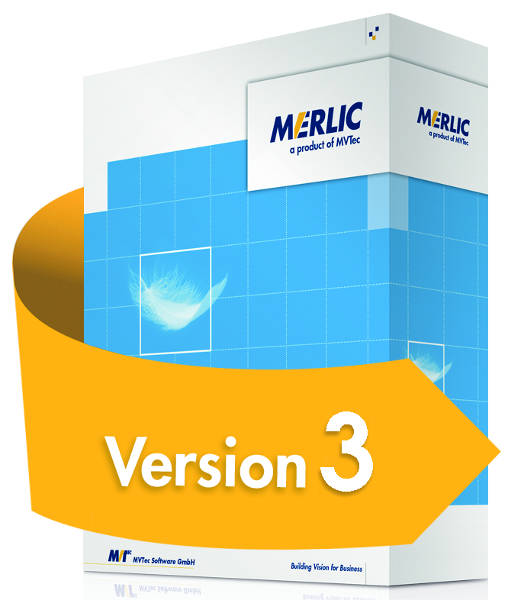
Thanks to new innovations, MERLIC 3 can now read blurry, overexposed, distorted, and low-contrast QR codes, as well as codes with inconsistent columns. MERLIC 3 has also improved its detection of false positives and missing patterns in ECC 200 codes.
Faster.
Performance has been improved in relation to text alignment and reading: Image alignment now runs 125% faster and OCR reading speed for text and numbers has been increased by up to 225%.
Improved Tools
Another improvement in MERLIC 3 is the matching tools, which are based on correlation support. Several filtering and usability tools have also been enhanced, such as the "Fit Circle."
Image-Centric User Interface:
The interface is clear, simple, and displays a large, processed image in the center of the program. On the left side, various standard vision tools are displayed, such as acquisition, calibration, alignment, measurement, counting, verification, reading, position determination, and defect detection, which can also be expanded with custom tools. Each tool has its own graphical representation in the workspace, allowing the user to view and review each step of their vision application as they navigate the workspace. The image-centric design allows the application to be configured directly through the interface, without the need to write source code or adjust numerous parameters.
easyTouch:
An innovative and unique feature of MERLIC is the easyTouch concept. This helps guide the user interactively to the solution. For example, simply hovering the mouse pointer over an image will cause easyTouch to recognize and highlight objects for identification.
Relevant objects can also be selected with a single click, eliminating the need to configure complex parameters. Furthermore, some tools support the easyTouch+ command, allowing multiple objects to be selected (Ctrl+click) and their parameters to best suit the application.
Machine vision applications without programming.
While most common machine vision programs require extensive programming knowledge, MERLIC was created to design a machine vision application without writing a single line of code. The vision tools in MERLIC's "MVApp" connect automatically. Alternatively, they can be put into operation simply by dragging and dropping the tool.
Integrated Tool Library
: MERLIC's integrated tool library contains a wide range of tools for the main vision tasks, and can also be expanded by adding custom tools. For ease of use, all included tools are named according to the task they perform.
There is also a suite of tools that support a wide variety of evaluation processes, such as performing calculations and/or assessing the characteristics of a specific region. After configuring the application, MERLIC offers a comprehensive range of communication tools that allow sending and receiving data, as well as reading and writing to files.
Finally, the existing tool library can be flexibly extended with custom, user-defined tools to meet any additional needs. These tools can be developed in the MVTec HALCON HDevelop integrated development environment.
MERLIC Designer:
The MERLIC Designer allows you to create a custom interface in just a few steps. It lets you design an interface for your application, choose from various widgets, and position them simply by dragging and dropping them into the desired location. The MERLIC Designer automatically links widgets to tool parameters. Parameter values can be used for display purposes or to allow the operator to interactively configure parameters within the interface. Widget properties can be easily adjusted with just a few clicks. You can even personalize the interface, for example, by integrating any background image or logo.
MERLIC offers a user-friendly and highly efficient workflow. Therefore, multilingual support is a key feature of the product. MERLIC is available in the following languages: Simplified and Traditional Chinese, English, French, German, Italian, Japanese, Spanish, and Thai.
Not
only is the graphical user interface (GUI) translated, but all standard documentation is also available in these languages.
PLC communication
goes further, facilitating access to all machine vision peripherals and ensuring a seamless PLC connection. The software supports the entire application development process, from image acquisition and processing to the machine's programmable logic controller (PLC). As a standalone software package, MERLIC offers complete integration, including digital I/O and the OPC UA standard.
The training application in the
MERLIC interface allows you to train your machine vision application directly within the interface using a special widget. You can "teach" new parts or regions of interest (ROIs) with just a few clicks. Furthermore, the ROI display can be customized for improved usability.
application protection
safeguards your know-how by protecting the content of your MERLIC applications (MVApps) with a password. This protection can be activated for each MVApp in the MERLIC backend. Therefore, any modifications to the MVApp must be made in the backend and will always be protected by the password.
Using password protection can be useful if you want to share a MERLIC MVApp with clients who shouldn't have permission to modify the application. Furthermore, this is important for protecting your MVApps against unauthorized access by third parties, thus safeguarding the application's intellectual property.
Engine
allows you to integrate a MERLIC vision application (MVApp) into your user application, i.e., a C# or C++ application. Using the MERLIC Engine, you can create a system that loads and executes MVApps on demand. This allows you to build your own solutions with the MERLIC Backend, store them as MVApps, and use them within your own system.
By utilizing the MERLIC Engine's functions, you can control the execution of MVApps within your system, such as setting parameter values. You can also query parameter values and results.
MERLIC also allows you to integrate the interface as an ActiveX control into your application. The ActiveX control communicates with the MERLIC Engine; for example, to adjust parameter values or display results. This makes it easy to create a graphical user interface with the MERLIC Designer and use it directly within your application.
The MERLIC Engine can be purchased separately.