

 These improvements aim to further simplify the tool's use: streamlined export to DesignSpark Mechanical, Cross Probe, and Custom Shortcuts. Now DesignSpark PCB is not only more powerful, but navigating through designs is also more efficient.
Thanks to its advanced design and production capabilities, DesignSpark PCB has gained extraordinary popularity, with over 200,000 users worldwide, making it the most popular open-source hardware for sharing and collaborating on designs and projects. This sixth version builds upon the previous one, released in April 2013, which added features such as Online Design Rule Checking (real-time - RDC) and bus design support.
Exporting IDF Files to DesignSpark Mechanical:
Since the launch of DesignSpark Mechanical in September 2013, DesignSpark PCB users have been able to design the mechanical components of their products. However, to do so, they need to export their designs from DesignSpark PCB using the industry-standard IDF format. Simplified IDF export is our response to user requests for even greater integration between the two tools, following the excellent reception DesignSpark Mechanical has received from the electronics engineering community. This new interface, available in DesignSpark PCB version 6.0, simplifies the design transfer process with several pre-configured parameters, allowing for faster design exports and minimizing the risk of errors.
Cross Probe: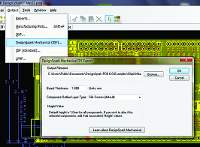 The Cross Probe functionality further accelerates the process by enabling instant cross-referencing between the schematic and PCB design views. While it's generally relatively easy to identify a component in the PCB view, finding its corresponding symbol in the schematic isn't necessarily as straightforward unless the user has an extremely thorough understanding of the system. Cross Probe allows the user to click on an element in either view, immediately taking them to the component in the corresponding view. This works in both directions: from the PCB to the schematic and vice versa.
Custom Shortcuts:
The new custom shortcut functionality allows for greater flexibility in customizing the user interface. Users can configure the tool by defining their own shortcuts and hotkeys, making it much faster and easier to use, especially for specific shortcut operations when using other PCB design tools.
"RS continues to remove cost and complexity barriers in electronic design. The release of version 6.0 is further confirmation of our commitment to supporting the growth of the DesignSpark PCB user base and providing the best possible open-source design experience for electronics engineers," says Mark Cundle, Technical Marketing Manager at RS. "Feedback from the DesignSpark.com online community has been instrumental in the evolution of DesignSpark PCB, and this new version of the software is further proof of that, enabling engineers to innovate with free, high-performance design tools."
DesignSpark PCB Timeline:
• July 2010: Initial release of DesignSpark PCB.
• March 2011: Added 3D visualization of PCB designs and improved library management functionality.
• November 2011: Simulation interface functionalities, design calculators, and circuit component grouping were introduced.
• October 2012: Library management was improved with access to 80,000 models and schematics from the ModelSource component library, along with the introduction of Bill of Materials (BOM) and Request for Quotation functionalities.
• April 2013: Online verification of design rules and buses was added.
• January 2014: New functionalities such as simplified export to DesignSpark Mechanical, Cross Probe, and Custom Shortcuts were introduced.