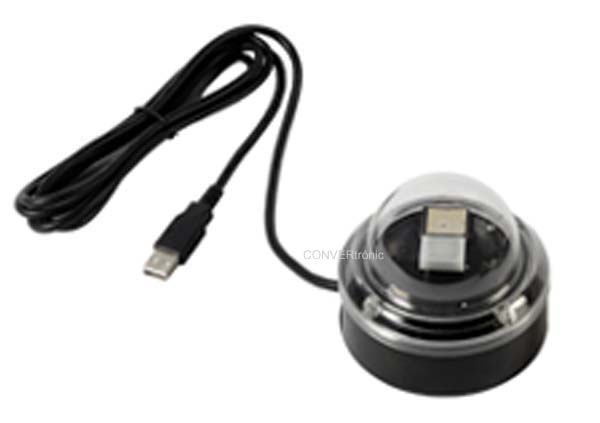

This device is designed to control DALI DT6 (single-channel) or DT8 (RGBW/TC) devices. However, connecting a CBU-DA-1P with the Gateway profile to the display's DALI connectors expands its control capabilities, allowing you to control Casambi devices.
This article, written by the marketing department of Electrónica OLFER, explains how to configure and use the combination of the SDP-LCD8 display and the CBU-DA-1P to control Casambi devices.

It's important to note that combining the SDP-LCD8 screen with the CBU-DA-1P has control limitations. When virtualizing a Casambi device, the control a DALI Master can provide is very similar to using only the icons on the Casambi app's "Lamps" screen, not the control you'd get by pressing and holding the icon.
In other words, the SDP-LCD8 won't be able to control devices with certain profiles that have multiple sliders, switches, or buttons that only appear when you press and hold the icon.
To connect both devices, you'll need a DC power supply with an output voltage between 12 and 24V, which will connect to the screen's INPUT connectors. The DALI connectors will then connect to the CBU-DA-1P.
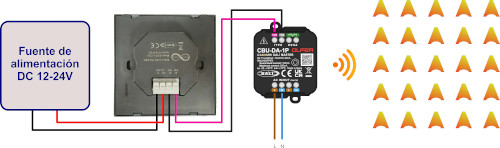
The CBU-DA-1P must be configured with the DALI Gateway profile and added to the network where you want to control the Casambi devices.
Once the CBU-DA-1P with the Gateway profile is added to the Casambi network, the devices must be addressed. This can be done either through the SDP-LCD8 display's configuration menus or through the Casambi application using the CBU-DA-1P's DALI menus. Instructions for this can be found on the SDP-LCD8 and CBU-DA-1P product pages.
Once the devices are addressed, we would need to configure the screen's buttons to control the devices virtualized in DALI addresses by the CBU-DA-1P.
Regarding the limitations mentioned earlier, the screen can control Casambi devices with both single-color and RGBW/TC profiles—the most common ones—but we will have to rule out controlling Casambi devices with more unusual profiles such as RGBW+TC, XY, or XY+TC.
Furthermore, control devices like sensors and pushbuttons are not compatible with the screen. Being a single-master device, no other application controller can be connected to the same DALI bus as the screen and the CBU-DA-1P.