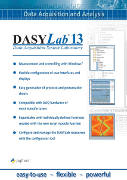
 With the new DASYLab 13, users will have the ability to configure, analyze, control and customize applications in minimal time intervals, and without the need to write a single line of programming.
For over 20 years, DASYLab has been considered one of the most powerful tools for DAQ (Data Acquisition) systems, and is widely known for its ease of use and implementation. These characteristics are no coincidence, given that it was designed in the mid-1990s for data capture tasks, with the goal of enabling any synoptic chart to be created with just a few mouse clicks. Similarly, generating reports has typically required only a few mouse clicks with DASYLab.
Even the most complex applications in measurement technologies and control tasks can be developed and designed by DASYLab quickly and without external programming modules. The building blocks of the Measurement Computing solution are integrated into a working environment and linked to one another via virtual connection lines. These represent inputs or outputs, operational modules, or display instruments. The connection lines indicate the signal flow, and all functions can be intuitively parameterized using configuration dialogs for each respective element.
Regarding the DASYLab worksheet environments, the manufacturer wants to draw attention to the fact that all the visualization functions are located in the same environment as the ordinary ones, so that the resulting visualization process is an extraordinarily simple task.
One of DASYLab's most outstanding features is its extensive support for virtually all types of hardware DAQ cards and USB devices. Similarly, DASYLab supports a wide range of bus systems and interfaces, and communicates via IEEE-488 with up to 15 different devices.
Using the master/slave architecture of the DASYLab version 13 RS232 input module, up to 256 channels can be linked via its serial interface. The application's ICom and Modbus modules extend the serial interface's capabilities through the TCP/IP protocol, enabling the use of a wide range of external devices. Many distributed systems and programmable controllers currently utilize OPC software; notably, DASYLab can be configured as an OPC client.
Among the most outstanding features incorporated in the new version 13 of DASYLab are aspects such as the Python development module, the resample module, NI-XNET, support mechanisms for .csv formats, and a series of improvements incorporated in the export of texts using the sequence generator, CAN module and error support for IVI modules, among other features.