

Powered by Dassault Systèmes' 3DEXPERIENCE platform, this new version helps design, validate, collaborate, build, and manage product development processes with integrated applications. The new features in SOLIDWORKS 2017 deliver greater core power and performance, as well as new capabilities for paperless manufacturing based on Model-Based Definition (MBD) and PCB (printed circuit board) design. Both existing and new users can improve productivity through simulation, which allows them to analyze, solve, visualize, and verify the functionality of designs before any prototypes are manufactured. New tools unlock any 3D model so it can be shared with suppliers and customers, facilitating collaboration. Furthermore, it offers dynamic product data management (PDM) from concept to manufacturing, strengthening collaboration between teams in different locations.
 “We have to meet many requirements when designing medical devices, and SOLIDWORKS has helped us achieve a cutting-edge industrial design that has allowed us to work faster and bring our upper limb myoelectric orthosis to market,” says Andrew Harlan, Principal Mechanical Engineer at Myomo. “We use SOLIDWORKS for all our designs. Being able to collaborate with industrial designers, consultants, and manufacturers from different locations simplifies the process. SOLIDWORKS models are so accurate and attractive that we can design, iterate, and improve the most technical parts very quickly.”.
“SOLIDWORKS 2017 simplifies design and development processes through an improved user experience, new capabilities for emerging technologies, and enhanced functionality for seamless team collaboration,” said Gian Paolo Bassi, CEO of SOLIDWORKS, Dassault Systèmes. “Each year, feedback from the SOLIDWORKS user community informs our research and development, enabling us to offer a flexible product portfolio that meets their business, design, and engineering needs. We are proud to deliver even greater power and performance with this new version, SOLIDWORKS 2017.”
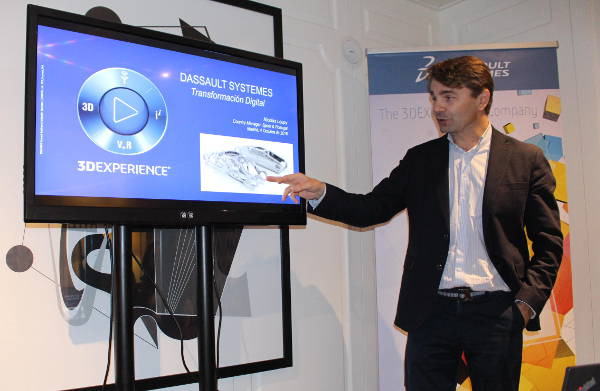 Some of the new features and improvements in SOLIDWORKS 2017 are:
Innovate through PCB design:
• SOLIDWORKS PCB – seamlessly synchronize electronic and mechanical designs on demand, combining Altium's expertise in electronic design with the ease of use of SOLIDWORKS.
• Intuitive and user-friendly interface – an integrated ecosystem of design and schematic tools to select the best options based on design constraints with Interactive Routing, Auto Routing, Multi-track Routing, and Differential Pair Routing. Locate and select components to make informed decisions with real-time supplier data and incorporate SOLIDWORKS models into the PCB design environment. Verify the electromechanical design.
Accelerate the design process with increased core performance and power:
• Modeling — Speed up the design process with new chamfer, fillet, and drill function tools that allow you to create multiple variable chamfers in a single operation, or convert any chamfer to a fillet and vice versa to apply design changes in just seconds. Capture and access previous drill definitions and apply pre-saved specifications instantly. Build holes across multiple segments faster in a single operation. • Surfaces — Remove the barriers to creating complex 3D geometries, saving time with new capabilities such as 3D curve, wrap, drag and drop, stamp, and engrave.
• Magnetic Mates — Work with complex assemblies by easily organizing fittings and spaces. Publish parts and assemblies as assets for proper point connections and facilitate drag and drop of attachments and easy repositioning of models.
Validate designs with simulation:
• Static simulation study — includes input parameters for logical decision-making.
• Highlighting relevant points — quickly identify areas of maximum stress to investigate a model or assembly for simulation and verify results.
• One-click conversion — instantly convert linear static studies to nonlinear or dynamic ones.
• RealView — displays simulation results to clearly communicate the analysis.
Improve collaboration through agile workflows and by eliminating the barriers of working with third-party data:
• 3D Interconnect—work with both neutral and native CAD data. Update part and assembly files as changes are made with the Update Model function, directly open imported files and treat them as base parts, or unlock workflows from various sources to collaborate with customers and suppliers.
• eDrawings—visualize all types of product design data for easy and accurate collaboration, from native CAD formats to 3D reality with Google Cardboard. Access product data from anywhere using mobile apps for Android or iOS devices.
Build and manage data integration, from concept to manufacturing:
• SOLIDWORKS PDM—improve how teams manage and collaborate on design by controlling design data and ensuring they access the correct version at all times. Enhanced support for SOLIDWORKS MBD (model-based definition) with auto-generated 3D PDFs; native CAD files are displayed in the record structure and are ready to be added to the SOLIDWORKS PDM repository, allowing you to track where they have been used and overwrite versions to minimize clutter.
• SOLIDWORKS MBD—quickly and easily communicate essential product information such as basic dimensions for sizing operations and fully automated polar dimensioning schemes, direct edge referencing, creation of intersection geometries between surfaces with draft angles, and publishing 3D PDFs with varying levels of precision to control file size and quality.